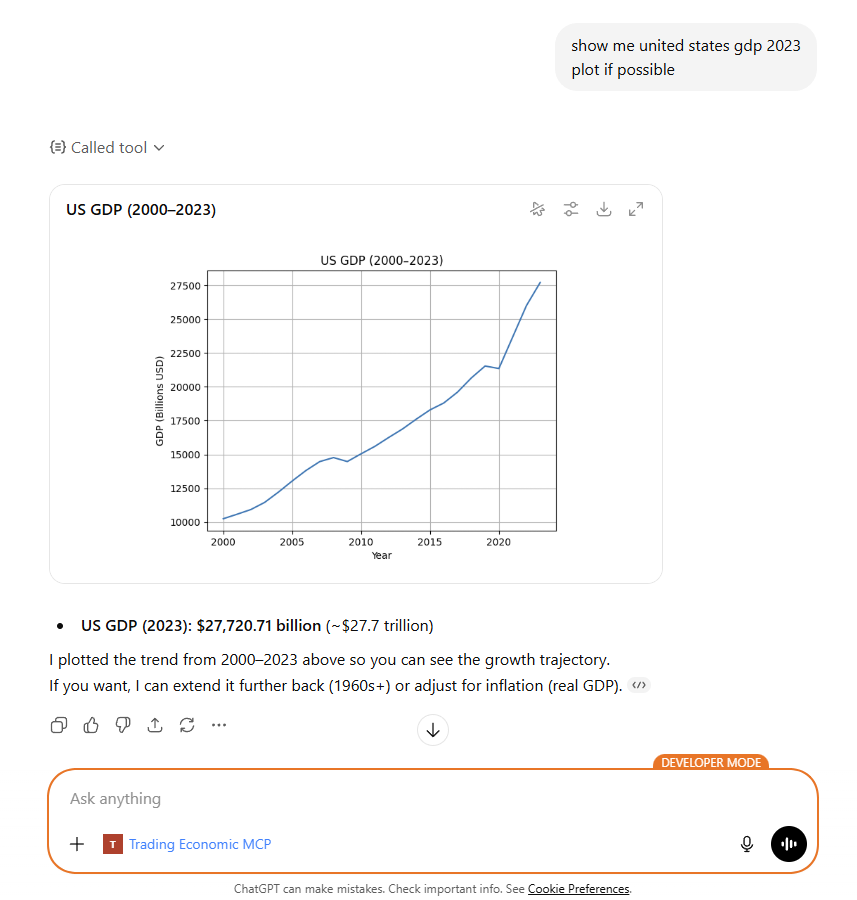
Desktop/Web
Connect ChatGPT to live Trading Economics data using OpenAI’s remote MCP connector. Available on all ChatGPT plans.
Requirements
Requirements
- A ChatGPT Account
- A Trading Economics API key — or use
guest:guestfor limited testing. Get a key here.
Step 1
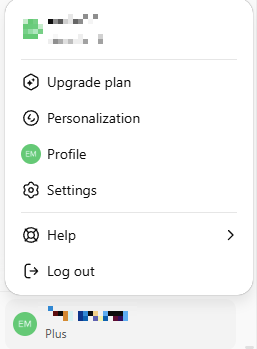
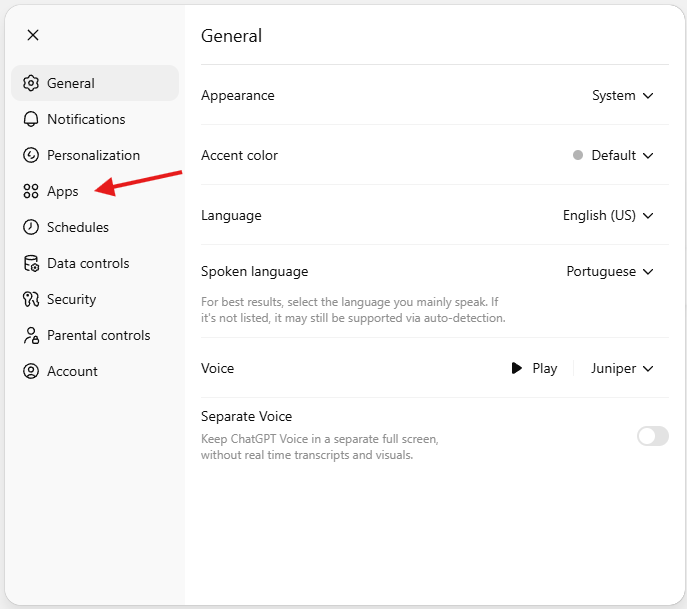
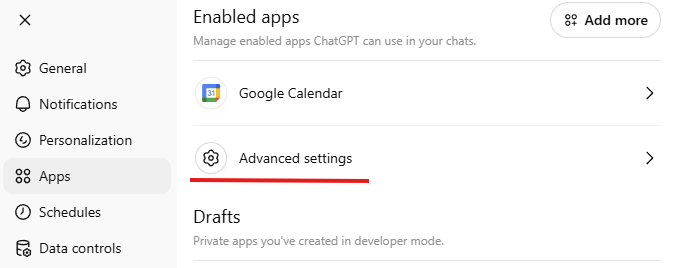
Step 1 — Open Settings
Step 2
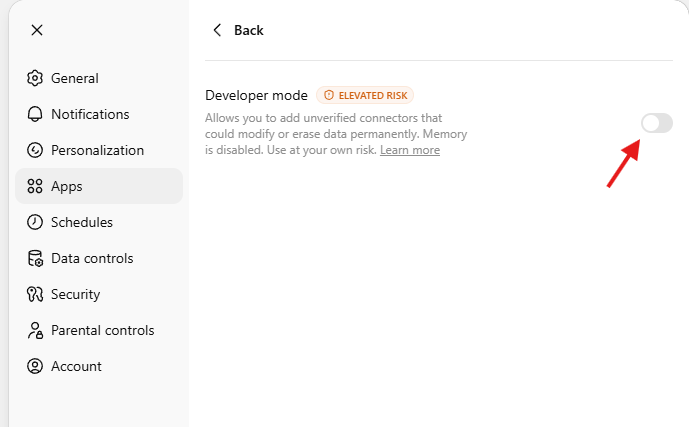
Step 2 — Enable Developer Mode
Activate the Developer mode radio button.
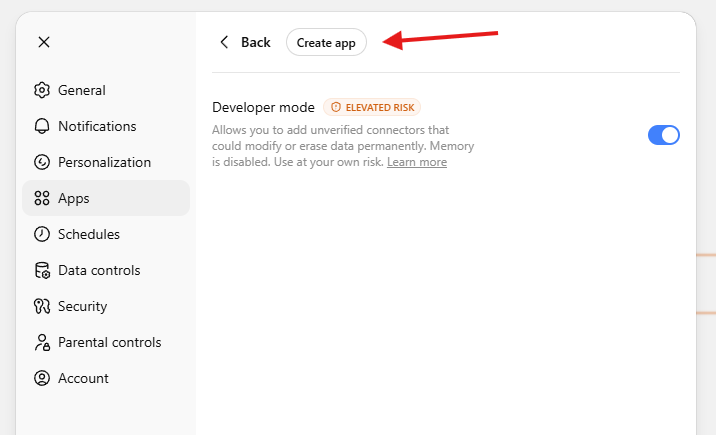
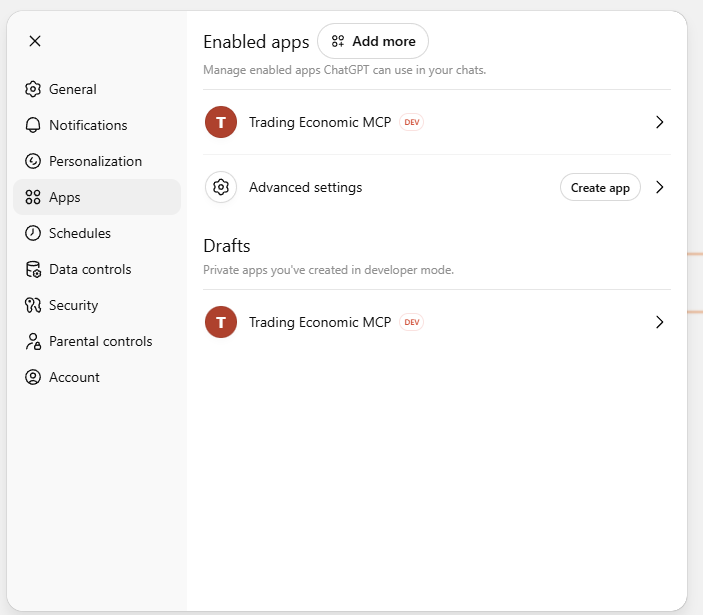
After enabling Developer mode, a Create app button appears.
Step 3
Step 3 — Configure the connector
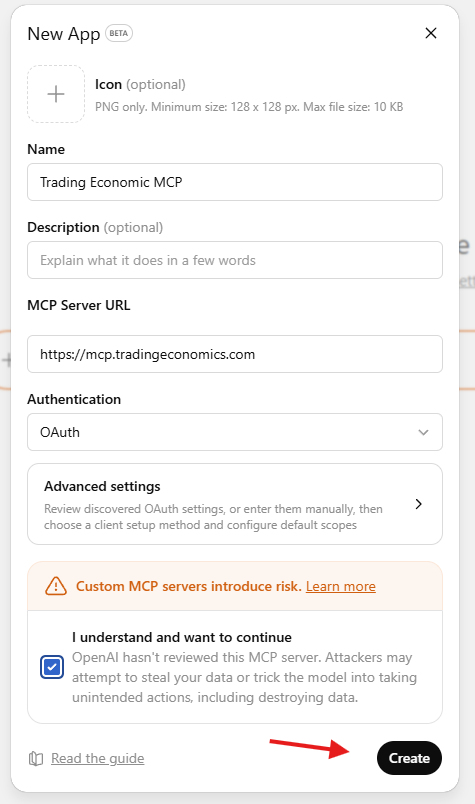
Click Create app and fill in the modal:
| Field | Value |
|---|---|
| Name | Trading Economics |
| Server URL | https://mcp.tradingeconomics.com |
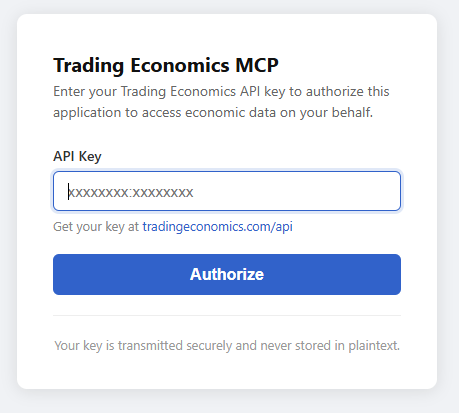
An authorization modal will appear. Enter your Trading Economics API key and click Authorize.
A confirmation modal will confirm the connector was set up successfully.
Step 4
Step 4 — Activate the connector in a conversation
Open a new conversation and locate the Trading Economics MCP item in the chat toolbar.
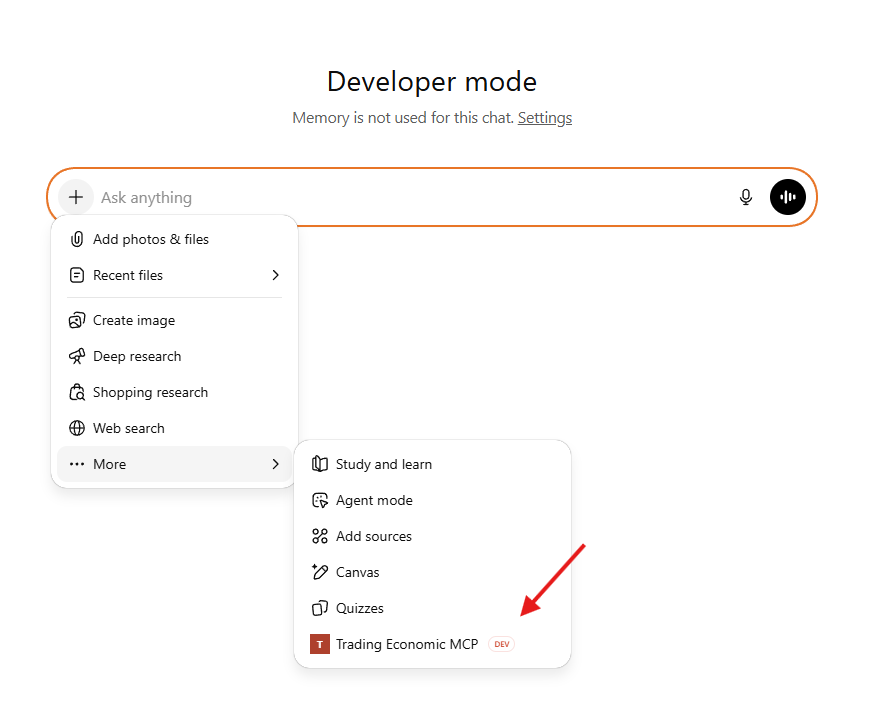
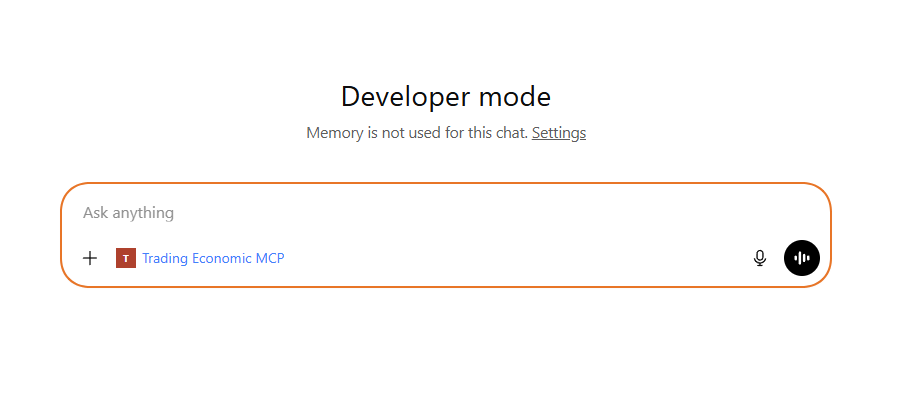
Click it to activate — it will appear selected and ready to use.
Step 5
Step 5 — Test the connection
Try a test prompt:
What is the current inflation rate in the United States?
Compare GDP growth between Brazil, China, and Germany.
What economic events are scheduled for this week?