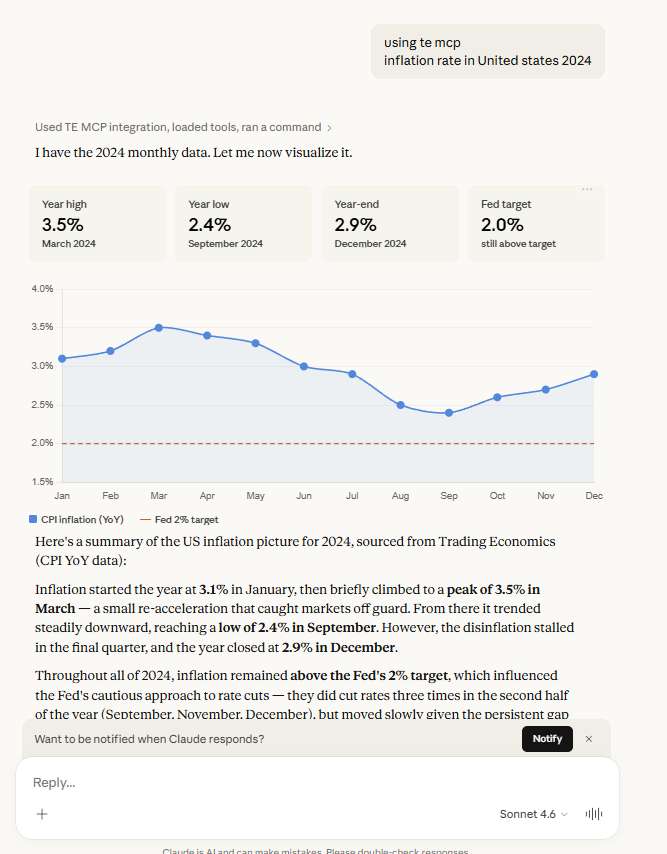
Claude Web
Connect Claude.ai to live Trading Economics data using the hosted MCP server at mcp.tradingeconomics.com.
Connect Claude.ai to live Trading Economics data through Anthropic’s remote MCP connectors. Available on Claude.ai Account plans.
Requirements
Requirements
- A Claude.ai account
- A Trading Economics API key. Get a key here.
Step 1 — Open Settings
Step 1 — Open Settings
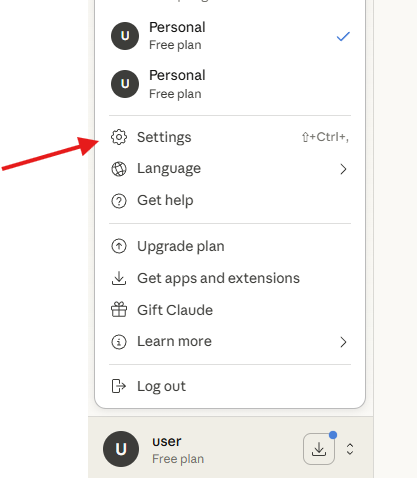
Go to claude.ai and click Settings in the left sidebar.
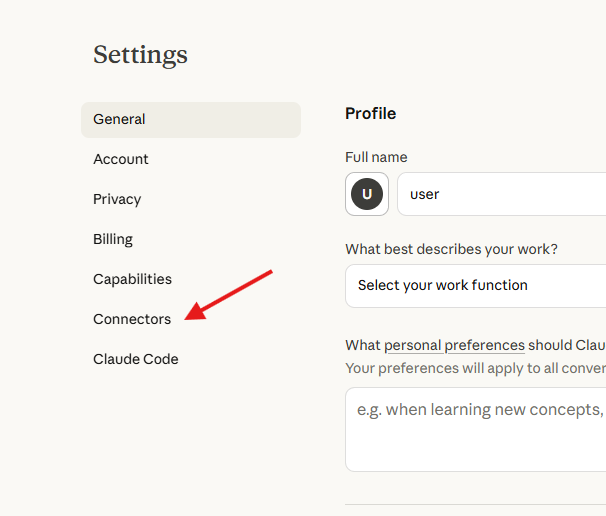
In Settings, click Connectors in the left menu.
Step 2 — Add a custom connector
Step 2 — Add a custom connector
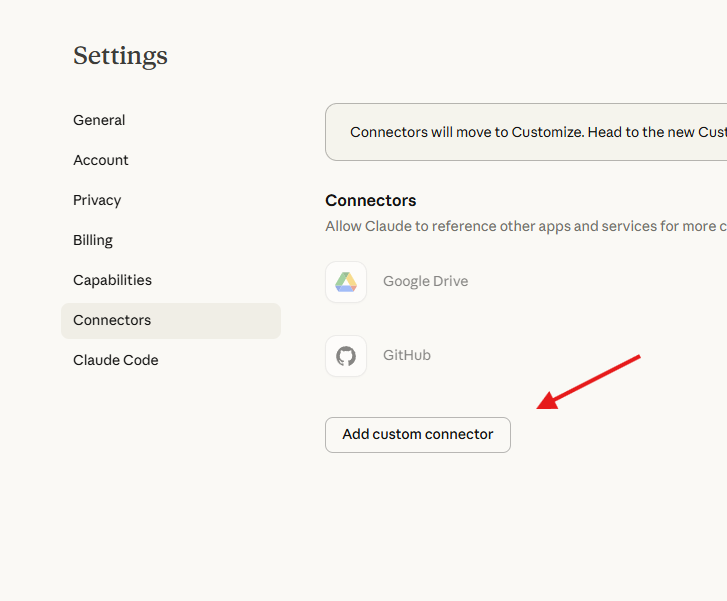
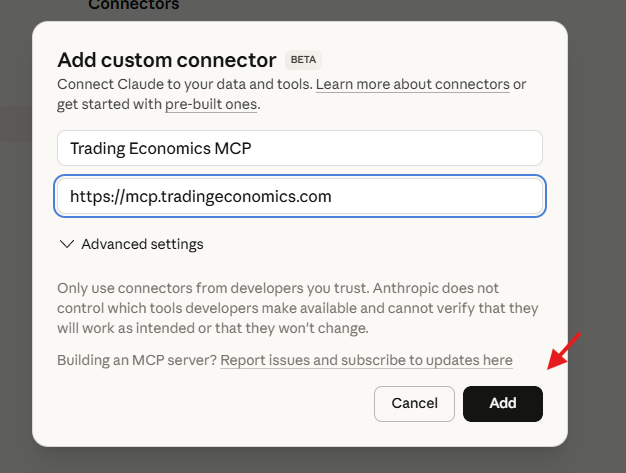
Click Add custom connector.
Fill in the modal that appears:
| Field | Value |
|---|---|
| Name | Trading Economics |
| Server URL | https://mcp.tradingeconomics.com |
Then click Add.
Step 3 — Connect and authorize
Step 3 — Connect and authorize
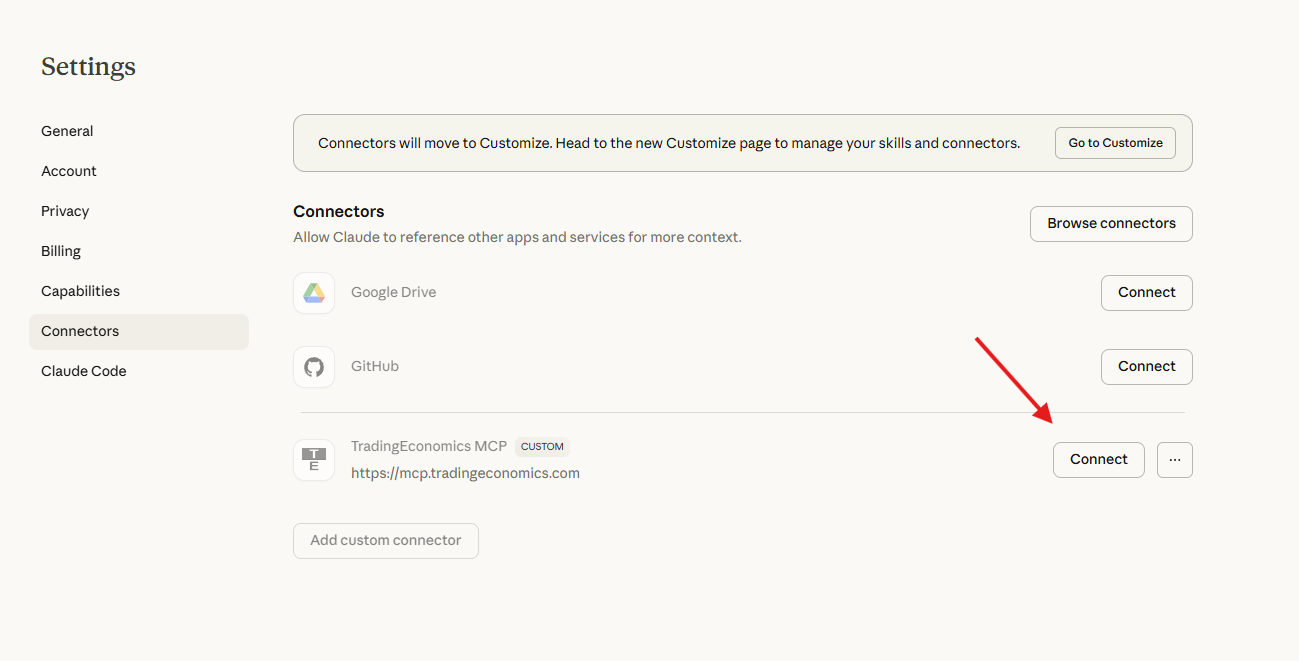
After the connector is created, click Connect.
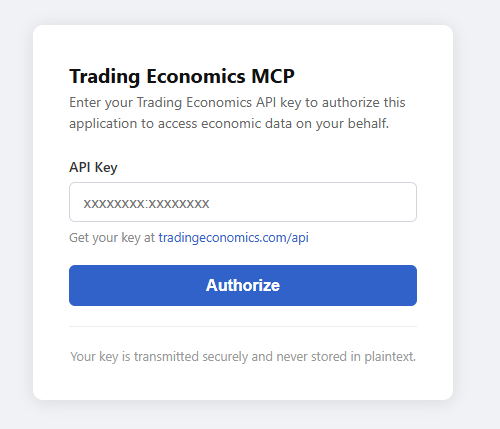
An authorization modal will appear. Enter your Trading Economics API key and click Authorize.
Step 4 — Test the connection
Step 4 — Test the connection
Open a new conversation and try a test prompt:
Text
What is the current inflation rate in the United States?Text
Compare GDP growth between Brazil, China, and Germany.Text
What economic events are scheduled for this week?